Datto SaaS Defense with SaaS Protection +
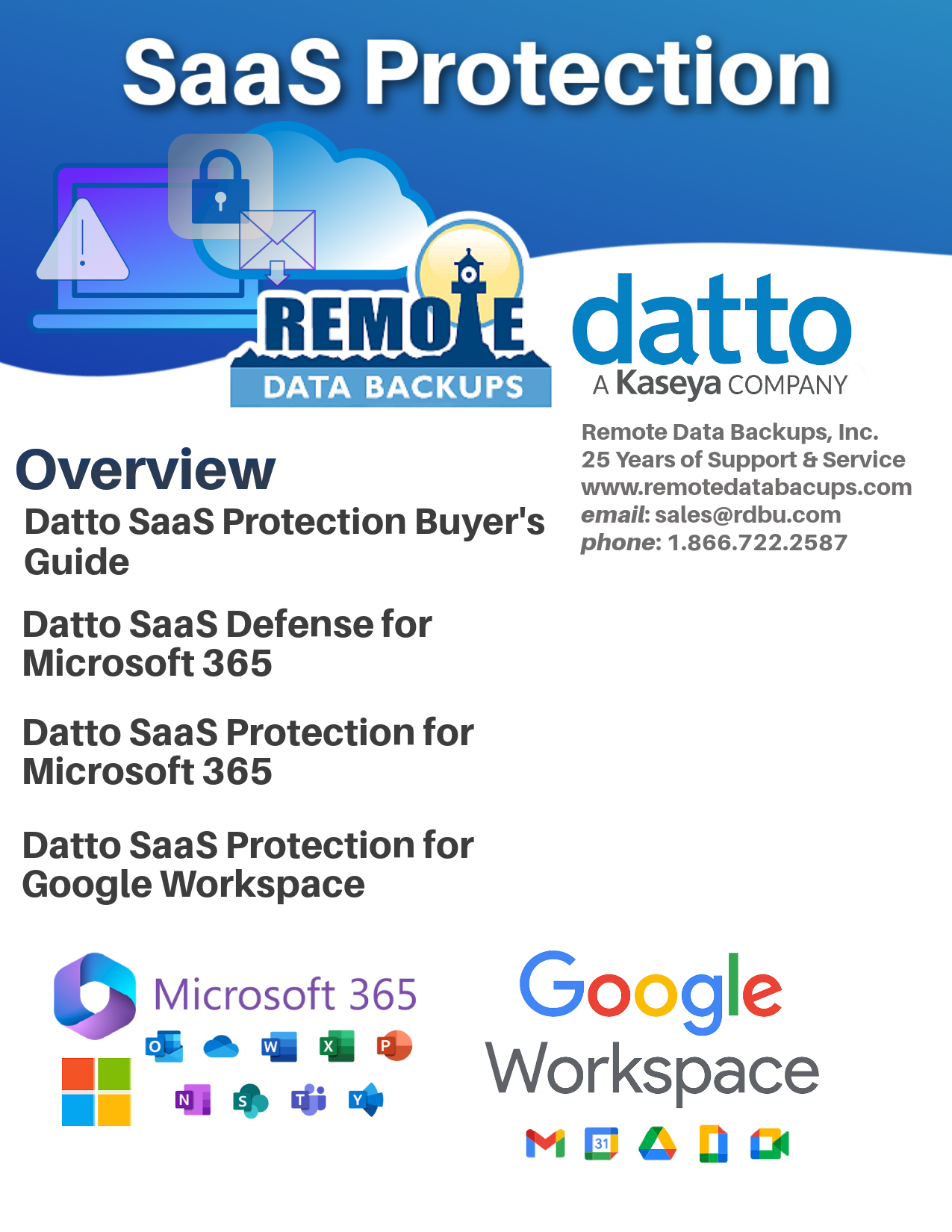
Read this report
Today Software as a Service (SaaS), like Dropbox, Microsoft 365, and Google Workspace is a necessity for many businesses. But the general public is not yet aware that SaaS does not include a true backup or defense protection. SaaS is extremely vulnerable to cyberattacks and ransomeware. Read why in our article at the end of this page.
The SaaS Backup Partner Opportunity
Join our Partner Program to start protecting your clients with backup and recovery for SaaS. Enjoy 20% reoccurring commissions month-after-month.
SaaS Backup Your Clients Can Depend On
Protect critical business programs with a reliable and secure SaaS backup and recovery solution that helps prevent malicious malware.
Advanced Threat Protection for Microsoft 365
With Datto SaaS Defense, MSPs can proactively defend against malware, business email compromise (BEC), and phishing attacks that target Microsoft Exchange, OneDrive, SharePoint, and Teams.
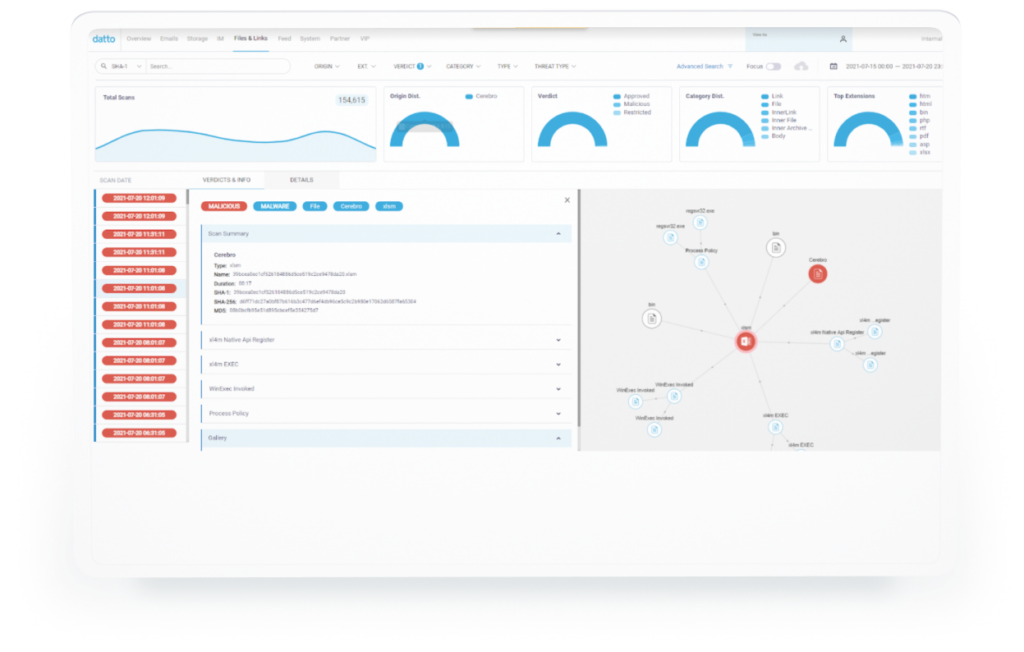
Explore Datto SaaS Defense Top Features
Defend your clients from ransomware, malware, phishing attempts, and BEC with a data-independent Microsoft 365 security solution.
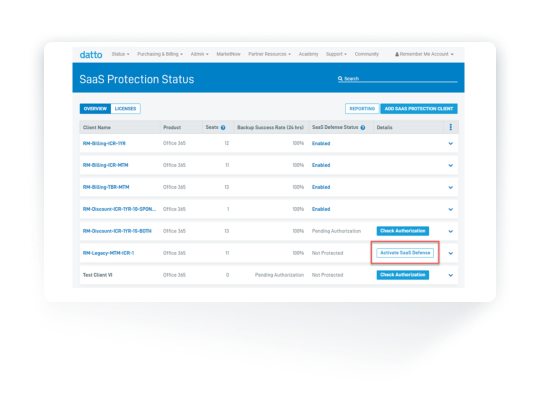
First encounter detection
Datto SaaS Defense is an advanced threat protection solution that detects zero-day threats at the first encounter instead of days later.
Protection beyond email security
Proactively protect your clients’ Microsoft 365 data in OneDrive, SharePoint, and Teams.
Security packaged for MSPs
Our comprehensive security solution helps you attract new clients and expand market share without increasing headcount or investing in security training.
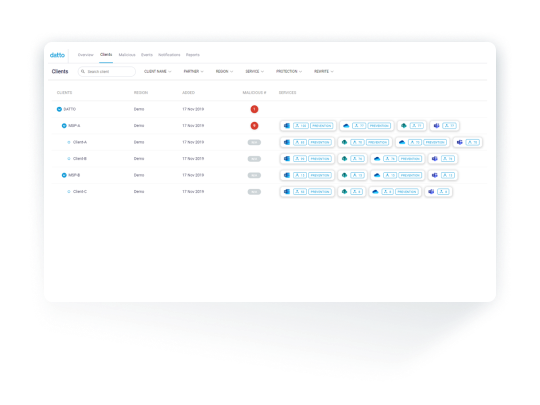
Datto SaaS Defense attack detection flow
Defend Against the Unknown
Traditional email security solutions depend on data from previously detected cyber threats and successful penetration tactics. This creates protection gaps for new, unknown threats to exploit. Datto SaaS Defense is different.
Identify unknown threats
SaaS Defense’s data-independent technology detects unknown threats that other solutions miss by analyzing the composition of a safe email, chat, or document instead of scanning for known security threats.
Minimize time to detection
SaaS Defense does not rely on third-party software and is built from the ground up to prevent zero-day threats as soon as they are encountered, minimizing the time needed to detect an intrusion.
Protect data from zero-day threats
Inefficient native SaaS application recovery features mean your client is vulnerable to data loss. SaaS Defense ensures better protection from malicious cyber threats.
Microsoft 365 Defense
SaaS Defense provides robust threat protection for Microsoft 365 applications, including Exchange, OneDrive, SharePoint, and Teams. MSPs can prevent malware, phishing attempts and BEC attacks before they reach the client.
Multi-Layered Microsoft 365 Security
Protect and defend your clients’ critical cloud data against both known and unknown cyber threats and common data loss scenarios with comprehensive detection, protection, and recovery from a single, channel-focused vendor.
REQUEST A DEMO OF SAAS PROTECTION+
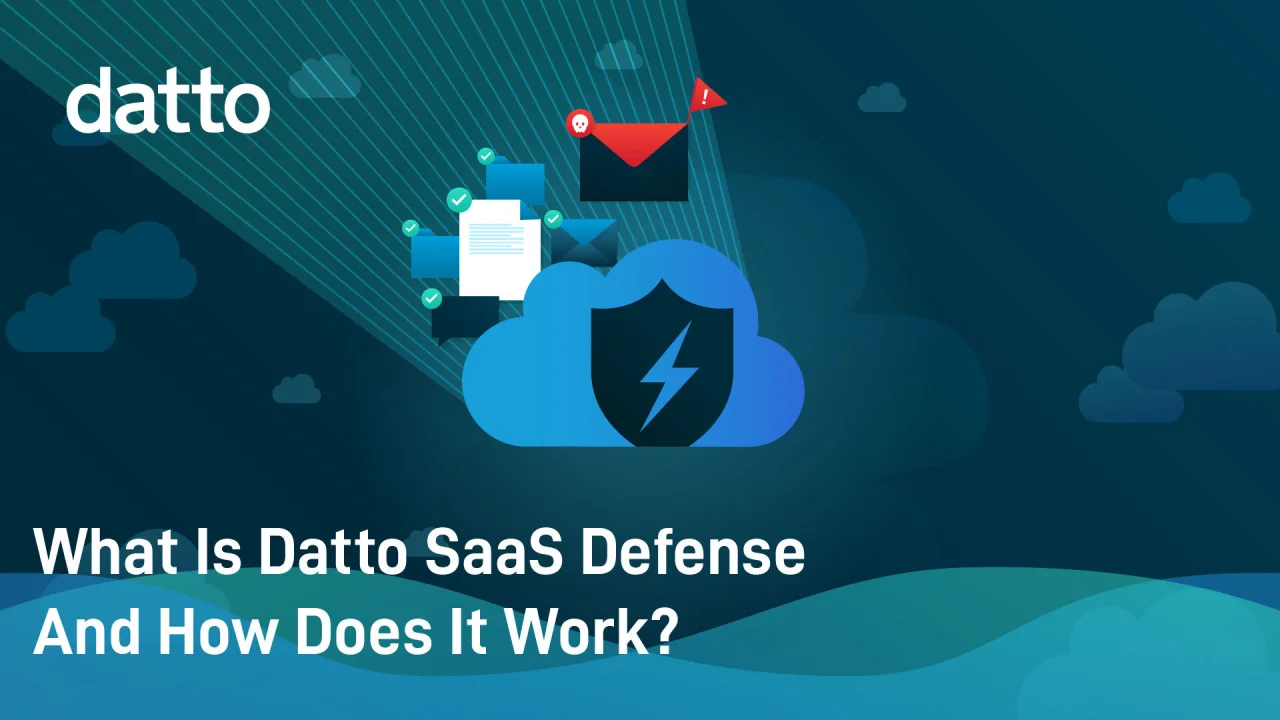
Robust Prevention and Detection
Spam Filtering
Configure customizable spam filtering with a single click and add another level of protection to your clients’ inbox.
Silent Detection
Proactively monitor and eliminate cyber threats as soon as they are encountered without manual interference or end-client disruption.
Robust Reporting
Demonstrate product value with simple, detailed reporting that articulates why a threat was identified as malicious.
Seamless Deployment and Management
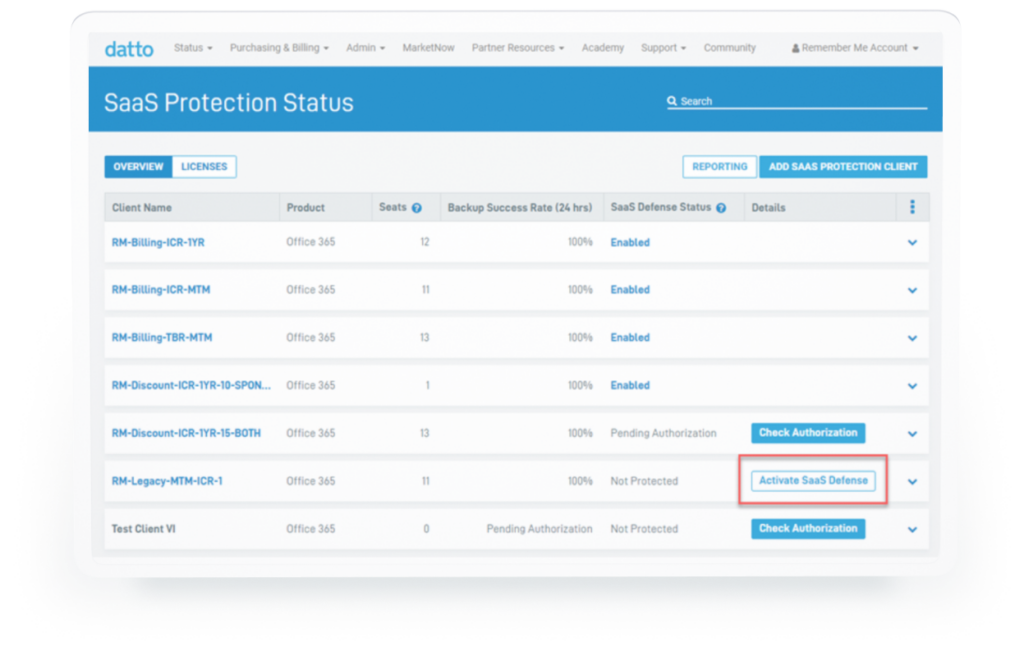
Get new clients up and running in minutes with two-click onboarding and multi-tenant management from a single dashboard.
Integrated Cloud Protection
Detect malware threats and prevent permanent data loss with automated 3x daily backups and flexible recovery options from a single, integrated solution.
Automated Client Billing
Set up automated client billing with Autotask PSA and customize configurations for each client through the intuitive Datto Partner Portal.
Not For Resale Program
Showcase the Datto SaaS Defense solution and increase your familiarity with our cost-effective, flexible NFR program.
Integrations
Browse our growing list of integrations to get more value from Datto, and streamline your day-to-day operations.
Datto SaaS Backups: Learn More Here
Microsoft 365 Backup and Advanced Threat Protection
Datto SaaS Protection+ is a comprehensive backup and recovery solution for Microsoft 365 with integrated advanced threat protection. SaaS Protection+ is both SaaS Protection plus SaaS Defense, which scans Microsoft 365 for cyber threats and backs up 3x daily.
Backup all apps including email and OneDrive
*Add Datto SaaS Defense to protect against ransomeware, malware, email & phishing attacks on Microsoft Exchange, OneDrive, SharePoint, and Teams.
Google Workspace Backup and Recovery
Google Vault alone does not ensure your Google Workspace (Formerly G Suite) data is recoverable. Quickly restore lost data from Gmail, Calendars, & Contacts, Drive and Shared Drives with Datto SaaS Protection.
Backup all apps across the platform. Google’s recomends a 3rd party backup to backup Workspace.
*Add Datto SaaS Protect to restore lost data from Gmail, Calendars, & Contacts, Drive and Shared Drives.

Learn More: Backup Blog
Why Does SaaS Require 3rd Party Backups?
By Amanda Finch | RDBU Marketing
Common Examples of SaaS Requiring a Third Party Backup:
- Google Drive
- Google Workspace
- Microsoft 365
- File sharing software like Dropbox
- Your CRM (Contact Manager)
The SaaS list above most likely has a built-in backup copy available to you. But surprisingly, it is not reliable. Keep reading to find out why.
What is a third party backup? A third party backup is a backup service company completely unreleated and external from the company that offers the SaaS software that is being used by the client.
What happens if my SaaS account is hacked? Hackers will completely lock down access to your SaaS program, including your access to the only proprietary SaaS backup copy.
What if you need to restore to a previous month, or year? Your SaaS alone cannot perform this task. But a true third party backup can. A company with no ties to your SaaS program, called a third-party backup, ensures that your pc or business server can quickly recover after a data loss.
Fact SaaS (Software as a Service) is not a true backup. Even Microsoft and Google state that if the data is important, users should use a thrid party company for offsite backups.
Microsoft 365 Facts Did you know that safeguarding your Microsoft 365 data requires a thoughtful backup strategy? According to Microsoft’s Shared Responsibility Model, data loss can occur without proper planning, making a third-party backup a wise choice to implement to minimize risks. As a Microsoft 365 user, it’s your responsibility to protect your own data, which is rightfully owned by you. Ignoring this recommendation can lead to a costly, time-consuming, and frustrating situations should data loss occur. However, investing in a true third-party backup solution can provide peace of mind and protection in the event of a Microsoft 365 crash.
Direct Quote From Microsoft of Shared Data Responsibility
“For all cloud deployment types, you own your data and identities. You’re responsible for protecting the security of your data and identities, on-premises resources, and the cloud components you control. Cloud components you control vary by service type.
Regardless of the type of deployment, you always retain the following responsibilities:
- Data
- Endpoints
- Account
- Access management (Microsoft direct source: https://learn.microsoft.com/en-us/azure/security/fundamentals/shared-responsibility)”.
How It Works And Why Microsoft 365 Is Not A True Backup
A Replicated Version of Data is Not a True Backup: Microsoft 365 hosts a replicated version of your data, but many users are not aware that this replicated version is not a true backup. This replicated copy included with each Microsoft 365 subscription, will contain a dump of all Microsoft 365 data when restored up to 180 days. This data includes data you do may not want or need, data saved previously to recent edits, and data that may have experienced malware or corruption. The user cannot easily pick and choose data versions specific to their needs or timeframe. To further understand how a Microsoft 365 recovery works, visit the official Microsoft 365 recovery page at: https://support.microsoft.com/en-us/office/recover-your-microsoft-365-files-dc901de2-acae-47f2-9175-fb5a91e9b3c8
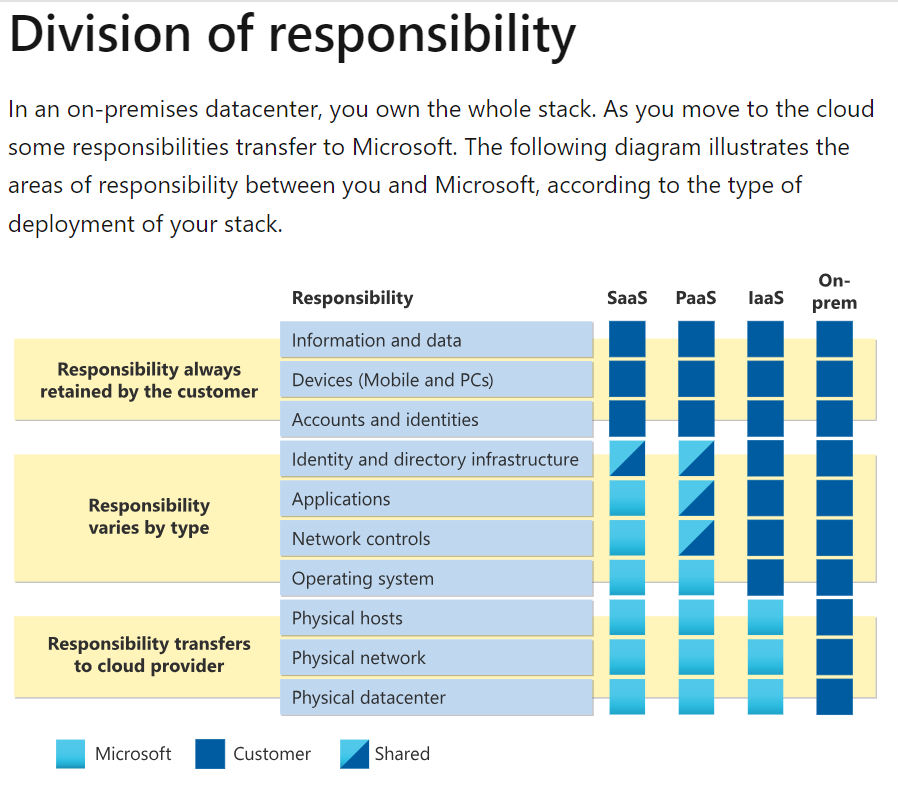
Security Is A Shared Responsibility: Microsoft’s chart, at the bottom of the page, indicates that the user and Microsoft engage in a shared responsibility of protecting data. Microsoft 365 data protection extends to their own Azure onsite data vaults, which protect the user’s settings and offer security through authenticity and ID’s.
In short, Microsoft is the data processor, but the Customer is the responsible Owner of the data. These roles are clarified in Microsoft’s direct statement below:
“As specified by the Product Terms and Microsoft Products and Services Data Protection Addendum (DPA), Microsoft, as a data processor, processes Customer Data to provide Customer the Online Services in accordance with Customer’s documented instructions.cation, and cloud security ID. Beyond this, the data is the customers responsiblity (Source: https://learn.microsoft.com/en-us/compliance/regulatory/gdpr-dpia-office365).”
Next: We discuss further how outside cyberattacks, human error, sabotage, poor digital security management strategy, or the absence of a variety of backup versions are vulnerabilites that can fall outside the reponsibility of the boundaries of Microsoft 365’s repicated copy agreement for data protection. And how these factors can result in costly down-time, potential crisis, and time-consuming data losses.
As a 25-year backup and recovery managed service provider, and recently becoming a Distributor for a suite of data backup products, Remote Data Backups can ensure an external, true, customizable backup of your Microsoft software-as-a-service. A true third-party backup protects your data, eliminating the all-or-nothing data retrieval limitations of the the Microsoft 365 settings replication copy. Remote Data Backups ensures that your company’s settings are configured correctly, and multiple backup versions are available to your business. Our first prioristy is to help our clients to avoid a data and downtime crisis when disaster strikes.
Examples of Microsoft 365 data backup vulnerabilities. Google Workspace experiences similar vulnerabilities:
- Accidental Choosing of the Wrong Data Retention Configurations or Schedules: The settings for retention schedules in Microsoft 365 can be complicated and confusing. Improper configuration can result in an unexpected data loss. However, a third-party backup can turn back the clock to a specific time before the data loss occured, and restore the lost data (even if the customer chose the wrong retention period in Microsoft 365’s settings).
- Human Error or Employee Sabotage: Unfortunately, not all employees can be trusted. Unhappy employees may retaliate by deleting critical data housed within Microsoft 365. By the time the damage is noticed, the retention period for Microsoft 365 backups may have expired. A third-party backup can offer a targeted data retention snapshot as a solution for employee sabotage that corrupted or deleted important datasets.
- Ransomware Attacks or Viruses: Hackers are succeeding today more than ever at stealing information, corrupting, or locking us out of access to our data. And Microsoft 365 is not entirely impervious to attack. Hidden viruses from malware also create disruption. Unforeseen data corruption and cyberattack incidents expose vulnerabilities in the organization that reduce client confidence in your business. A third-party backup can restore your SaaS prior to infection or incident.
- Retention Requirements for Legal Reasons: Some industries mandate up to 7-year retention to ensure compliance with laws. To avoid financial penalties, Choosing a third-party backup provider that can provide the industry retention requirements can help companies to prevent steep fines or legal issues.
- Hybrid Environments for Data Migration or Email: Microsoft 365 is a great program, but configuration can be complicated. To ensure that the data sent using hybrid environments can be stored in the backup set, implementing a third-party backup and recovery provider is a best practice.
- Microsoft Teams Vulnerabilities: Microsoft applications like Teams can be challenging to configure and to ensure a solid backup is happening. Having a third-party backup on board can reduce errors in settings and offer peace of mind that your Team data is being sufficiently protected.
The below chart is directly sourced from Microsoft. It is a visual depiction showing the Customers responsibility, Microsoft responsibility, and the shared resonsibilities of both entities in the various areas of service offered by Microsoft software. Microsoft Direct Source Link: https://learn.microsoft.com/en-us/azure/security/fundamentals/shared-responsibility
Learn More: Backup Blog
Why Software as a Service (SaaS) Requires a Separate Backup
By Amanda Finch | RDBU Marketing
Quick Facts
- Software as a Service (SaaS) data like Microsoft 365, Google Workspaces, Dropbox, or your CRM requires a specific type of backup called SaaS backup.
- These companies advise users use a third-party backup.
- Image and file and folder backup do not protect SaaS data.
- SaaS is extremely vulnerable to cyberattacks.
Isn’t my SaaS data already protected? The simple answer to that question is mostly no, and somewhat yes. Modern users depend on SaaS programs for day-to-day operations. And today’s computers and software are more complicated than in the past. Microsoft Office data used to be synced and stored locally for common products like Microsoft Word, Microsoft Excell, Microsoft PowerPoint and Microsoft Outlook. Microsoft’s 365 version now promotes their own OneDrive cloud storage backup. SaaS data is stored automatically to the Microsoft’s OneDrive cloud by default. Microsoft 365 does offer users an option for local storage. Google Workspaces is another popular SaaS that uses proprietary storage. However, most users are not recieiving true data protection.
It is a wide-spread misconception that SaaS data stored in these proprietary clouds is protected. In fact, included in the terms and conditions shared responsibility section for both of these companies is the recommendation that users install an additional backup program unaffiliated with their company.
Big mistakes can be prevented by choosing an unaffiliated backup and recovery company. And SaaS backups are now affordable. Because the devil is in the details, even tech-savvy companies sometimes have had to learn the hard way when it comes to a SaaS related data loss. Read on to find out why your SaaS programs require better backup.
Why are retention windows so important? Google Workspace G Suite has 30-60 days of retention to recover data sets from. And Microsoft 365 only stores 14-days of data. These timeframe windows are short. A third-party SaaS backup like Remote Data Backups Datto Backup has a one-year, 7-year, or infinite choice of retention. Many companies are required by their Industry to store data for certain lengths of time to maintain Industry compliance.
What happens when SaaS files won’t open? As a personal example, some of my personal older Google Workspace pdf. documents could not be opened. And this is not uncommon. Over the years, this problem has been reported by many users. Perhaps there are workarounds to open these documents. However, troubleshooting will most likely be a time-consuming and research-intensive process, also requiring updates. A third-party SaaS backup can roll back the clock to a version of the document before an upgrade or corruption occurred which stopped the document from being able to be accessed.
Can I get technical support with my SaaS backup? Technical support for the backup and recovery software through most SaaS companies is limited. A third-party SaaS backup, like Remote Data Backups, offers included 24/7 support by understandable US-based techs. And there are no additional fees for escalated technical support services.
Remote Data Backups is a 25-year Backup and Recovery Distributor with 24/7 U.S.-based support. Our affiliate program is 25 years strong. Partners receive an onboarding affiliate link to post within their content. This link allows RDBU affiliates to receive credit for new clients automatically. Our partners receive a 20% recurring income month after month. RDBU manages all clients and tech support. Reoccurring affiliate commission checks are directly deposited monthly. Backup and Recovery is our niche and area of expertise, and our partners built our business. Our service supports backups for PC’s, servers, SaaS, and virtual machines
Human Support
1 (866) 722-2587
Support Hours 24/7
Get Started
Let us answer your questions. Call now to speak to an expert or book an appointment today. Consultations are always free
A solution for every backup & recovery need.
Human Support
1 866 722 2587